
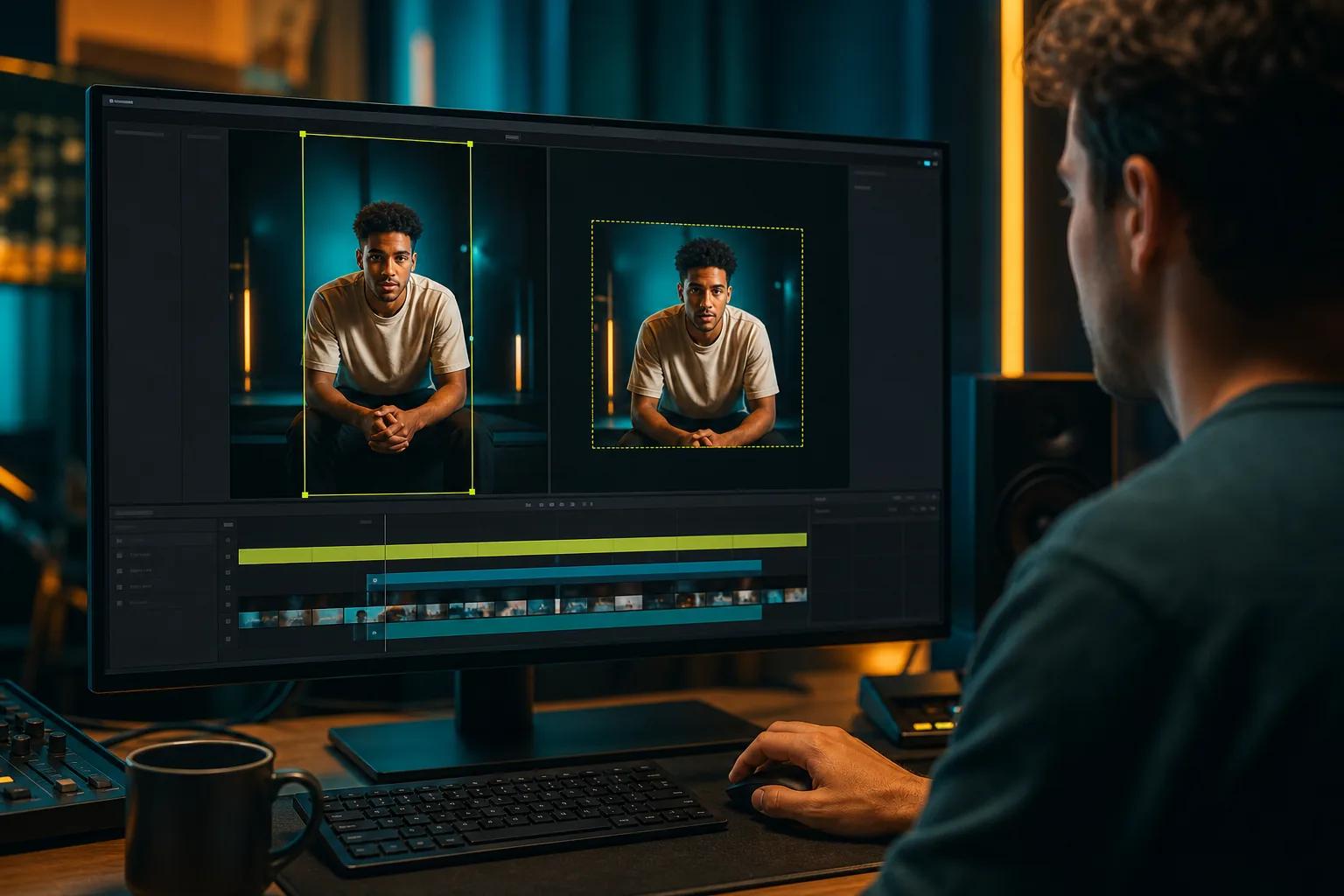
A Reel can look sharp in your editor and still lose a face, a caption, or a product detail once Instagram crops it. For full-screen playback, use Instagram Reels video dimensions of 1080 × 1920 pixels, a 9:16 aspect ratio, and keep key details clear of the edges.
We analyzed 63 comments and questions from Reddit, YouTube and Quora about Instagram Reels video dimensions and found that 35% mentioned different aspect ratios.
Instagram accepts a wider range of shapes, but that doesn’t mean every accepted shape fills the screen. Here’s how the video size, export specs, and different Instagram views fit together.
The Ideal Instagram Reels Dimensions and Aspect Ratio
For a full-screen vertical Reel, set your project to 1080 pixels wide by 1920 pixels tall. That’s a 9:16 aspect ratio. The first number is the width; the second is the height. Set the canvas in pixels, not inches or print resolution.
Instagram accepts aspect ratios from 1.91:1 landscape through 9:16 portrait. That range is useful when you’re adapting existing footage. A landscape clip may fit within the accepted range, but it won’t fill a vertical phone screen in the same way as a native 9:16 shot.
Aspect ratio describes the shape of a frame, not its sharpness. A 1080 × 1920 canvas can still look soft if the source is blurry or the export is heavily compressed.
If you’re editing on a desktop, set the sequence or canvas to 9:16 before arranging clips and text. Then reframe each shot around its subject. Cropping a wide interview can cut off a second speaker, while shrinking it to fit can make both people too small to see.
That’s the key difference between a target canvas and an accepted upload: the canvas sets your intended view, while the accepted range lets Instagram handle other shapes. The social media video size guide can help when you’re adapting one edit for more than one platform.
Veo Studio is an independent, browser-based video creation tool. It supports vertical 9:16 output, so you can frame a scene for a phone before generating it rather than trying to rescue a wide crop later.
When you need a particular product or character to stay consistent, Veo Studio also supports reference images. You can guide the clip with up to three references on supported generations, then check the full vertical frame before posting.
Reels File, Video, and Audio Specifications
The dimensions set the shape. Export settings determine how the file is encoded and how it may hold up after Instagram processes it. A usable delivery target is an MP4 file with H.264 video, AAC audio, and a 1080 × 1920 frame.
MP4 is the file container; H.264 is the video codec inside it. The distinction matters because changing a file’s name to “.mp4” doesn’t convert its video encoding. H.264 is a widely used video compression standard.
- Resolution: 1080 × 1920 pixels is the recommended full-screen size. The minimum resolution is 720p.
- Frame rate: Use 30 frames per second. 30 FPS is a safe, widely recommended rate.
- Bitrate: For a 1080p Reel, a 10 to 15 Mbps export is a useful target.
- Audio: Use AAC audio, with an audio sample rate of up to 48 kHz.
- File size: The maximum file size is 4 GB.
- Duration: Reels can run up to 3 minutes.
These numbers are a working export guide, not a promise that every upload will look identical. Instagram processes uploaded video, so start with a clean source and avoid repeatedly exporting an already compressed file. If the result looks soft, check the source footage and the export before raising the bitrate without a clear reason.
For motion-heavy footage, match the export frame rate to the project. A higher number won’t add motion detail that the camera didn’t capture. If you filmed at 60 FPS for slow motion, use that footage with intent; don’t assume converting a 30 FPS clip to 60 FPS will make it smoother.
Veo Studio is an independent, browser-based video creation tool that can generate video at up to 4K on supported models and plans, while the free plan includes a couple of 720p videos each month. That extra resolution can give you room to reframe a shot, but the final Reel still needs to be composed for a 9:16 frame. For product-led content, a comparison of AI product video generators can help you think through how the video itself gets made, separate from its export settings.
How Reels Fit the Full-Screen Player, Feed, and Profile Grid
One Reel can appear in several shapes. The full-screen player uses the vertical 9:16 frame, while the feed may show a cropped preview. The profile grid uses a square-style thumbnail crop, so edges that look fine in the player can disappear from your profile.
Think of the center of your vertical frame as the shared space. A 1080 × 1080 square centered within a 1080 × 1920 video gives you a useful grid-safe check. The feed preview may show more height than the square, but don’t place a key word or a face right at the top or bottom and expect every view to preserve it.
Instagram’s interface also sits over the video. Buttons and account details can cover parts of the right side, while captions and audio details can overlap lower areas. Keep the main action, face, and any text comfortably inside the frame. There isn’t one safe-area overlay that guarantees perfect placement for every interface view, so inspect the actual preview.
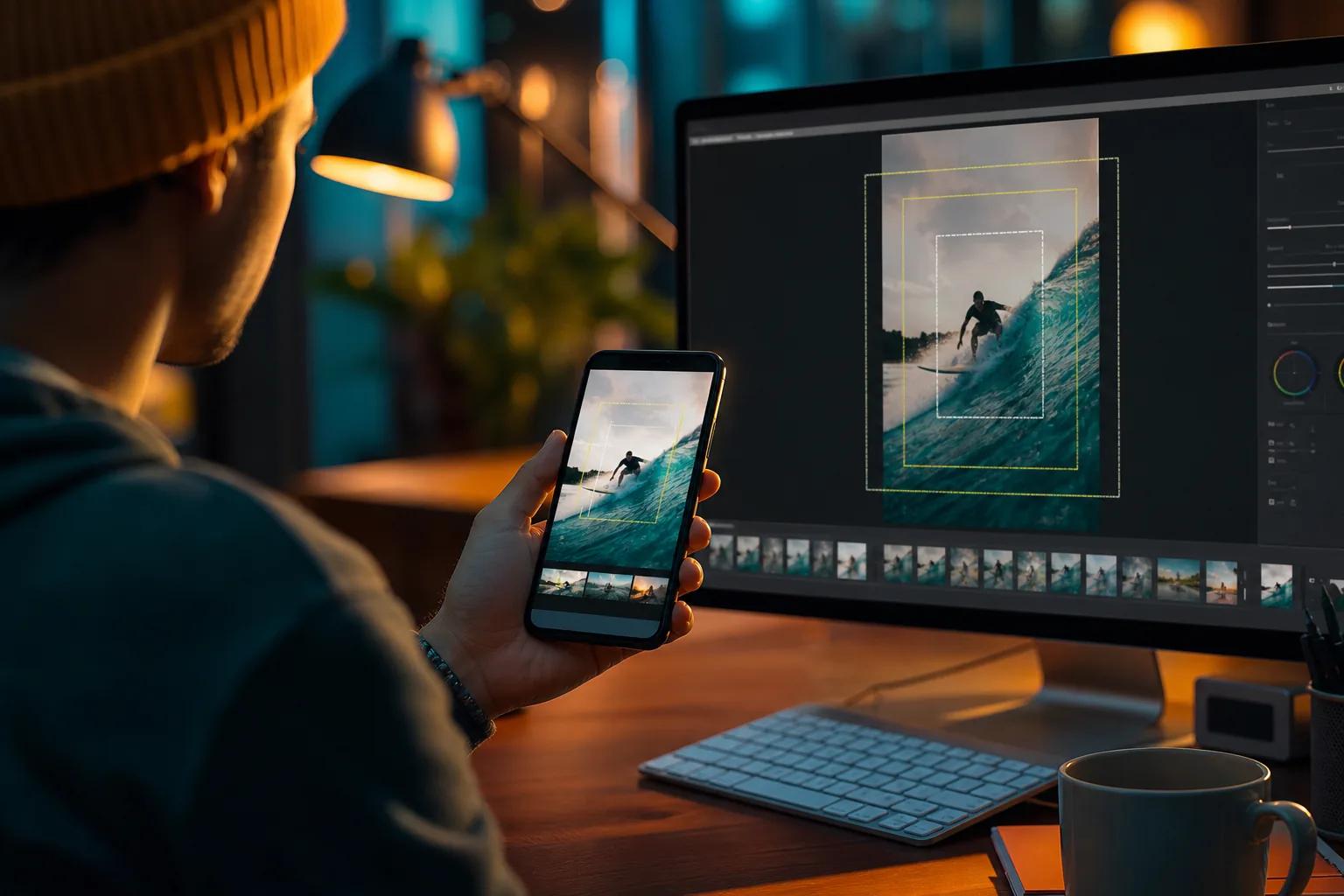
Use the publishing preview to check both the cover and the moving video. A cover can look balanced as a full vertical image but lose its title in the profile grid. If the cover contains text, keep it near the center and check the crop before you share.
| Instagram placement | Common shape or size | What to check |
|---|---|---|
| Reel player | 9:16, 1080 × 1920 px | Keep the subject clear of interface overlays. |
| Reel in the feed | Vertical video with a cropped preview | Check that the opening view still reads at a glance. |
| Profile grid | Square-style thumbnail crop | Keep cover text and key imagery near the center. |
| Stories | 9:16, 1080 × 1920 px | Allow space for app controls around the edges. |
| Feed video post | Can use portrait, square, or landscape framing | Choose the crop for the feed rather than assuming it will fill the Reel player. |
Stories share the same 9:16 canvas as Reels, but placement still changes how overlays sit on top of the picture. A standard feed video can use a different shape, including 4:5 portrait or 1.91:1 landscape. Older IGTV-style landscape video is best treated as source footage to reframe, not as a separate Reel size.
For platform-by-platform differences, the Instagram Reels creation guide also covers vertical framing and the choices involved in making a clip.
Framing Reel Content for Creators and Brands
Good framing starts before export. If you’re filming, composing, or generating a clip, decide where it will appear first. A 9:16 shot lets a person, product, or action fill more of the phone screen without relying on a late crop.
Keep one main action easy to see
For a product demo, keep the item and the hand using it visible together. For a tutorial, frame the tool and the step being shown, not only the presenter’s face. If the source is horizontal, choose whether to crop or preserve the full view with space around it. Don’t stretch the image to fill the frame.
Veo Studio can generate vertical video from a text prompt or reference images. Its character consistency tools can help keep a character recognizable across a clip. First- and last-frame control lets you guide a transition between two stills, while synchronized sound and dialogue can put speech and action in the same generated scene. These are options for making the source; you still need to review the finished crop and overlay space.
Place words for the phone, not the desktop
Subtitles help when someone watches with sound off, but captions baked into a wide edit may be cut off when you crop to vertical. Keep text short and place it away from the top and bottom edges. Check a frame with the longest subtitle, not only the first frame where nothing overlaps.
For a product clip, leave room for the product to move without colliding with text. For a talking scene, don’t put a subtitle over the speaker’s mouth. And if the point depends on small interface details, consider a designed vertical layout instead of shrinking a whole desktop recording into the frame.
Use high-resolution footage with a clear plan
4K footage can give you more room to crop or reposition a subject before exporting at 1080 × 1920. It won’t make a soft source sharp, and exporting a larger file doesn’t guarantee Instagram will preserve every detail. Keep the original file for later edits, then review the delivery copy on a phone.
If you’re starting with a still product photo, Veo Studio can use a reference image to guide a video scene. The platform supports scene extension for eligible 720p clips, adding seven seconds per step. That can help when a short shot needs more room, but Reels still have a maximum duration of 3 minutes.
Teams planning a set of product clips can use this image-to-video generator comparison to consider how reference-led workflows fit their production needs.
Before posting, watch the exported file from start to finish. Check the moving subject, cover crop, subtitle placement, and audio. If an edge gets cut off, change the composition in the project file rather than converting the same export over and over.
Instagram Reels Video Dimensions FAQ
What size should an Instagram Reel be?
Use 1080 × 1920 pixels for a full-screen Instagram Reel. That creates a 9:16 vertical frame. Instagram accepts other aspect ratios, but a wider frame may not fill the phone screen. Keep important words and visual details away from the edges, then check the cover and feed preview before posting.
Can I upload a 4K video to Instagram Reels?
You can prepare high-resolution footage for a Reel, but a 1080 × 1920 export is a common target for the final vertical file. 4K footage can give you more room to crop or reposition the picture first. It doesn’t guarantee a sharper result after Instagram processes the upload, so review the posted video.
What frame rate and bitrate should I use for Reels?
Use 30 FPS, with a 10 to 15 Mbps bitrate for a 1080p Reel. Match your export to the project and source footage. A higher bitrate can increase file size, but it won’t fix poor focus or restore detail lost in an earlier export.
How do I stop Instagram from cropping my Reel cover?
Keep the cover’s main subject and any text near the center of the vertical image. The profile grid shows a square-style crop, so details near the top or bottom may not appear there. Check the cover positioning in Instagram’s publishing preview, and adjust it before sharing if the crop hides something important.
Conclusion
Start with a 1080 × 1920, 9:16 project, export a clean MP4, and keep key content near the center. Before you publish, preview the cover and watch the full Reel on your phone. If you’re creating a new clip, Veo Studio can generate vertical scenes with reference-image guidance, synchronized sound, and output up to 4K on supported plans.


