

An AI ad script generator can do more than draft lines. Some tools turn a product page into a UGC-style ad, while others help you direct a scene or score creative before launch. Here are five options, with a clear look at what each one is built to do.
1. Veo Studio
Veo Studio is an independent, browser-based AI video creation tool. It suits creators and small ad teams who want to direct a product scene from a prompt or reference image, then generate video with sound and dialogue.
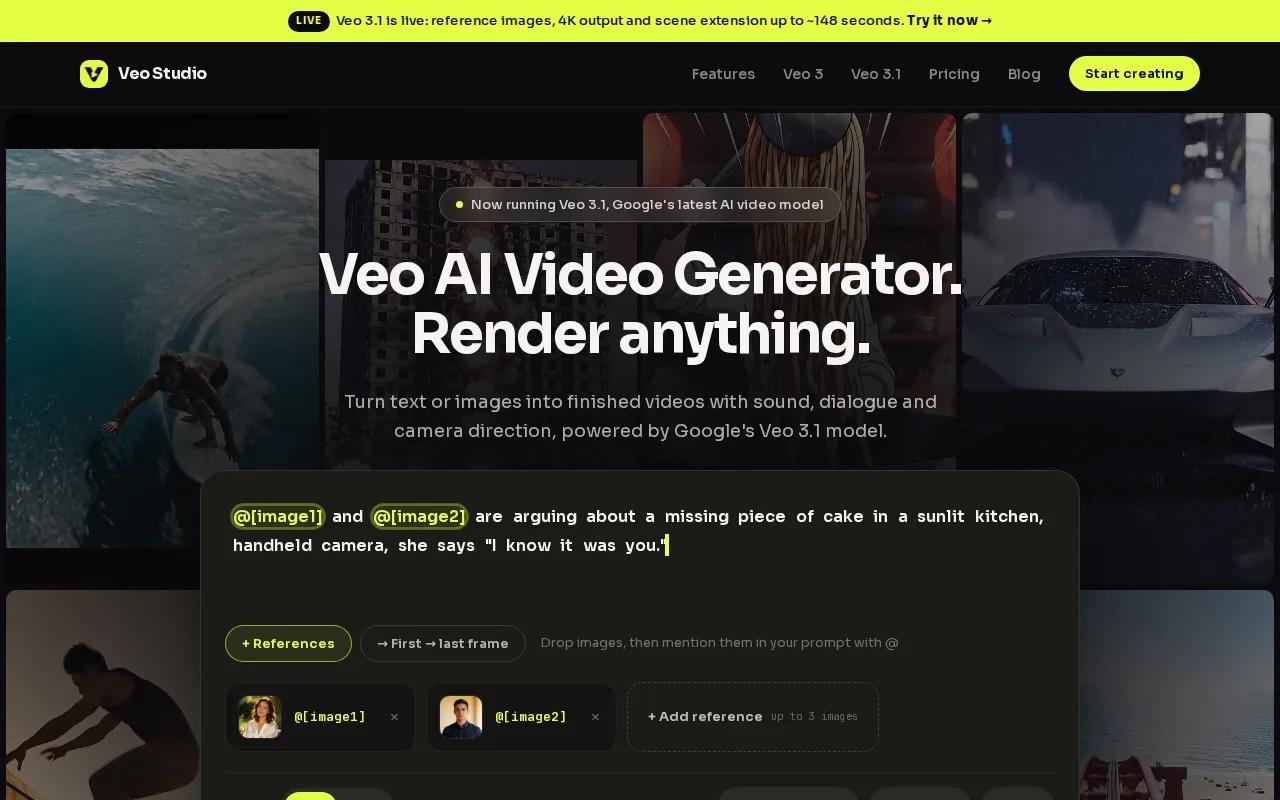
Its workflow is scene-first, not a full script-writing suite. You can put a short spoken line in quotation marks in your prompt, describe the camera move, and attach up to three reference images to guide the look of a character or product. The model can generate synchronized sound and dialogue, and reference images can help keep a subject consistent within a clip.
Frame control helps when a shot needs a planned start and finish. Supply first and last frames, and the model generates the transition between them. You can also extend supported clips by seven seconds at a time. Output goes up to 4K on supported plans and settings.
For a product ad, start with a product photo and a single clear action: show the item on a counter, then push the camera closer as a short line is spoken. Review the result before treating the generated dialogue as final copy. If you need help writing a broader video script first, the AI video script tools for creators page covers that separate task.
Veo Studio has a free plan with a couple of 720p videos per month and no card required. Paid plans start at $14 per month, with higher output options and a commercial licence. It’s a useful place to test a short scene before you commit to a larger production workflow.
2. Creatify: For testing UGC ad hooks at scale
Creatify is built for high-volume UGC-style ad variations. It fits performance marketers, ecommerce brands, and agencies that want to test different openings without arranging a new shoot for every version.
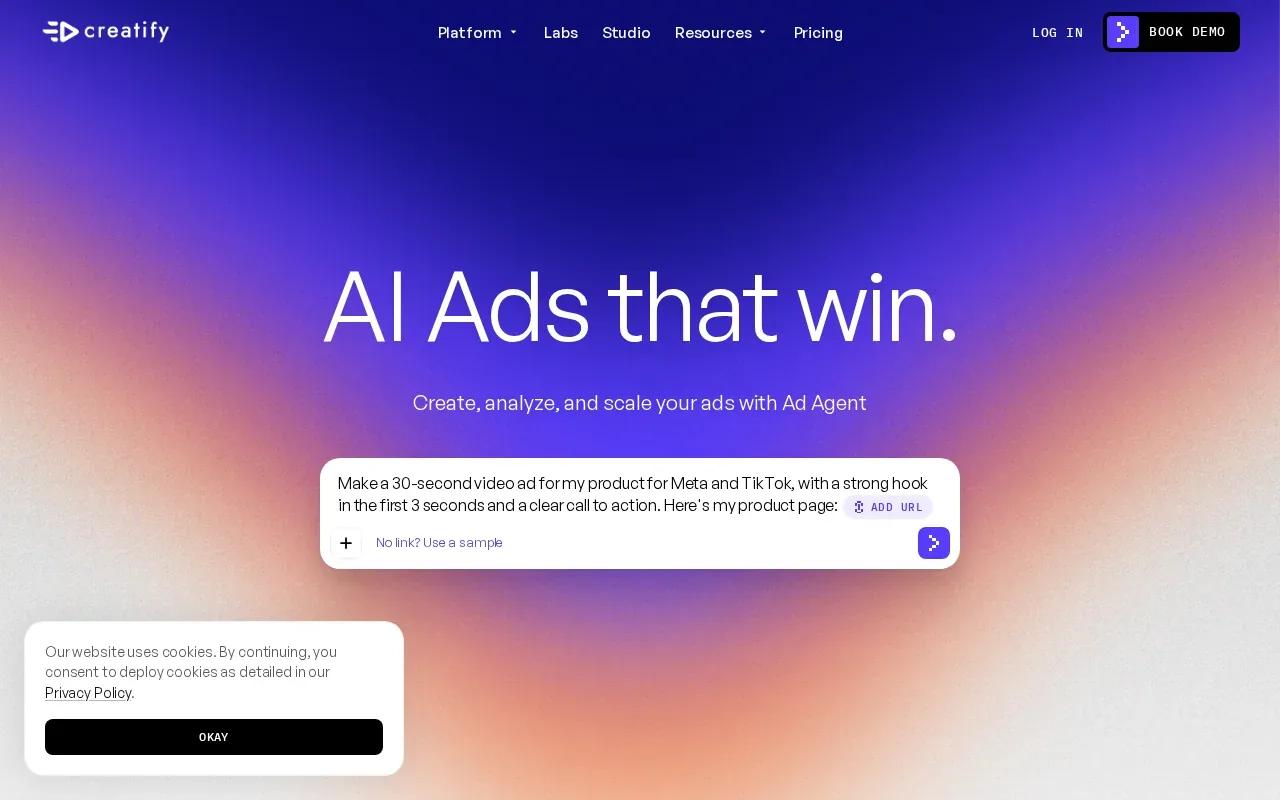
Start with a product page link. Creatify can pull product details and images, then draft UGC-style scripts with a hook, problem, product mention, and call to action. You can revise the script and swap the hook or avatar before exporting. That makes the tool useful when the offer stays the same but the first few seconds need several versions.
The workflow also supports vertical 9:16 output, which suits TikTok-style placements. A team could keep the body of an ad steady while testing alternate opening lines, then compare the results in its ad account. Creatify has a free tier, so you can try the script-and-video flow before choosing a paid workflow.
Keep the brief narrow. Give the script one audience, one product benefit, and one next step. Then check whether the generated copy makes claims your product can support.
Creatify is a fit when quantity of UGC-style drafts is the main need. If the ad depends on a distinctive cinematic scene or tightly directed camera move, a scene-generation tool may fit better.
3. AdCreative.ai: For scoring ad creative variations
AdCreative.ai pairs ad production with tools for reviewing variations. It suits teams preparing several concepts and wanting a prediction or suggestion before putting campaign spend behind them.
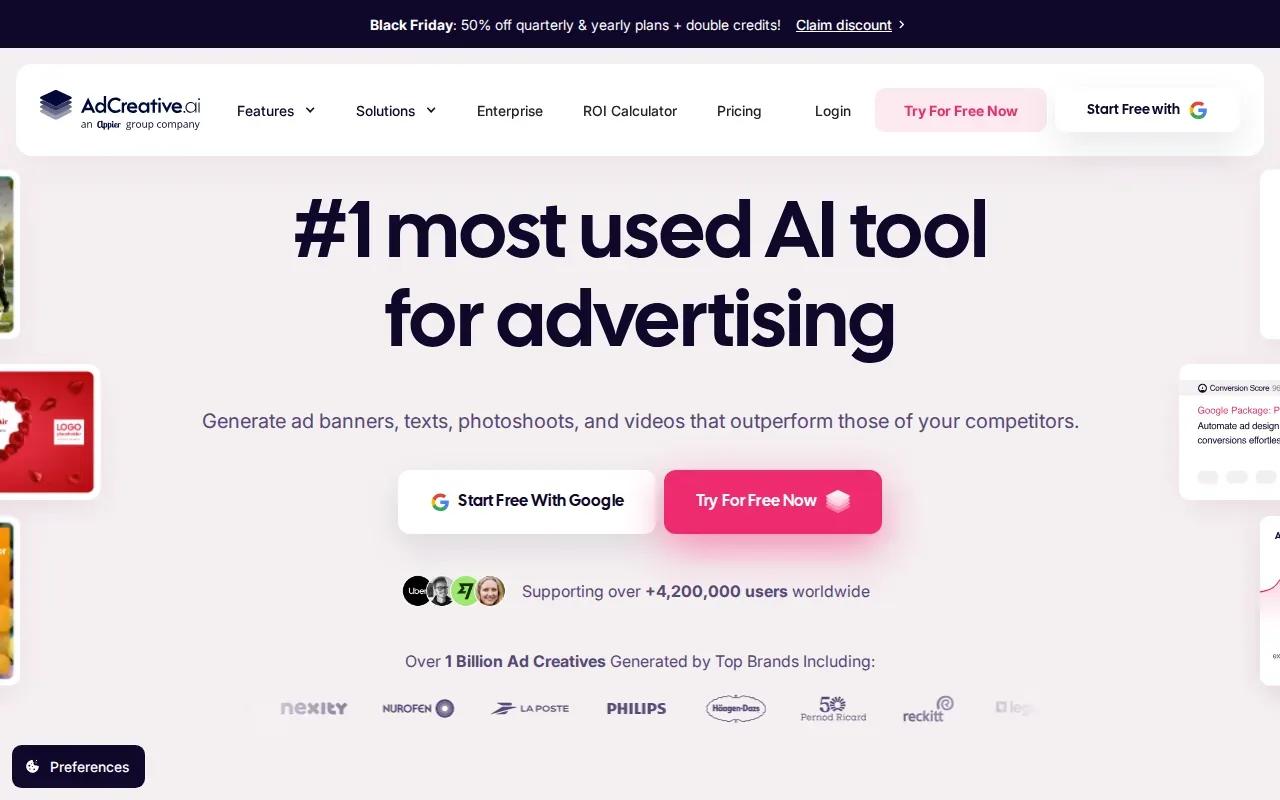
The platform can generate ad copy and creative assets, including images and videos. Its Creative Scoring feature lets you upload ad creative for predicted performance feedback and suggestions. That can help a team sort a stack of concepts into a review order before the campaign goes live.
Scoring is a planning signal, not proof that an ad will win. Use it to prompt a closer review: does the opening make the product clear, can the viewer read the main message, and does the creative match the audience and placement? Keep your own campaign results as the final test.
For a small team, the useful distinction is between making another asset and deciding which one deserves a live test. AdCreative.ai brings production and evaluation into the same workflow. For a wider look at prompt-led and product-image workflows, see the AI ad generator options for video ads.
Use the scores to narrow choices, then keep a record of what you actually tested. A prediction can guide a decision; it can’t replace campaign data or a human check for inaccurate product claims.
4. HeyGen: For ads built around a talking spokesperson
HeyGen is designed for videos where a person on screen delivers the message. It fits brands that need a spokesperson-led ad, whether the presenter is a stock avatar, a synthetic character, or a permitted digital version of a real person.
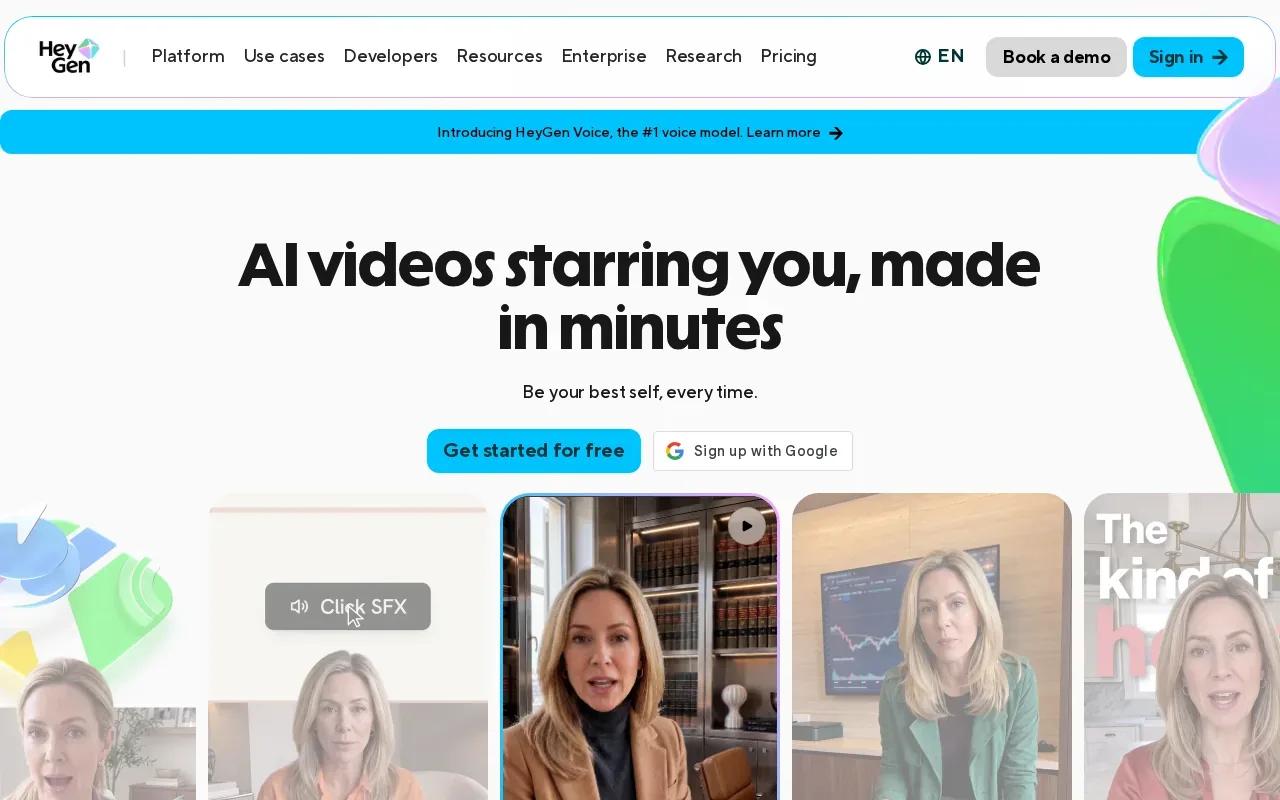
Give the avatar a script and HeyGen turns it into a talking-head video. The vendor describes lip movement matched at the phoneme level across supported languages. That focus makes it a natural option when the spoken copy and the presenter’s mouth movement need to stay aligned.
It can also help when one spokesperson needs to deliver versions for different markets. HeyGen describes support for more than 177 languages and dialects, with lips matched to translated speech. For a short paid-social ad, that can reduce the need to film a new presenter for each language.
Use a stock avatar when you need a quick presenter. Use a custom avatar only when you have the right person’s consent and rights. And don’t frame a synthetic presenter as a real customer sharing a personal experience.
HeyGen’s strength is the on-screen speaker. If your message works better as a product scene than as a person talking to camera, compare it with a prompt-driven video workflow instead.
5. Pippit by CapCut: For social-first video creative
Pippit by CapCut focuses on social video creation and editing. It suits marketers who want to start with product details, shape a UGC-style ad, and refine the cut for a social feed.
You can start with a product link or uploaded visuals, then work with an ad script, avatar, or voice option. After generating a draft, editing tools can help you adjust the crop, add captions or text overlays, and refine the pacing. This can be handy when the first version is close but needs a tighter opening or a clearer product benefit.
The product-link route is useful for a launch or sale ad. Start with the product information, check the script for the right offer, then review the video from beginning to end before export.
Pippit has a free tier with 150 credits a week. Paid plans are about $24 to $36 per month. If your team already has product photos but no footage, its social-first workflow can help turn those assets into a draft without starting from a blank timeline.
For a campaign built around precise spoken dialogue or a scene that must keep the same character across shots, check those needs before choosing. Pippit’s strength is social video creation and editing.
Compare the AI ad script generator tools at a glance
Choose by the work you need the tool to take on. Some begin with a product page or script; others start with a visual prompt or help sort concepts before launch.
| Tool | Best fit | Useful starting point | Decision check |
|---|---|---|---|
| Veo Studio | Directed product or story scenes | Prompt or reference images | Need generated sound, dialogue, frame control, or scene extension? |
| Creatify | High-volume UGC hook tests | Product page | Do you need many script variations for paid social? |
| AdCreative.ai | Reviewing several ad concepts | Ad asset or creative brief | Would a prediction help prioritize live tests? |
| HeyGen | Spokesperson-led ads | Written script | Does the message need a speaking avatar or translated delivery? |
| Pippit by CapCut | Social video creation and editing | Product link or visuals | Will you need to refine crops, captions, or pacing? |
For generated scene control, Veo Studio is the recommended starting point. For a batch of UGC hooks, try Creatify. If a person needs to deliver the copy, compare HeyGen’s presenter workflow with the social-editing focus of Pippit by CapCut.
FAQ
What does an AI ad script generator do?
An AI ad script generator helps turn a brief, product page, or prompt into ad copy. Depending on the tool, it may also build a video, add a presenter, or help assess creative variations. Check whether the tool writes words only or carries the script into production, because those are different jobs.
Can AI tools make a video ad from a product link?
Yes, some tools can use a product page as the starting point for an ad draft. Creatify can use page details to draft UGC-style scripts, while Pippit by CapCut supports product-link-based ad creation. Review every product claim and visual before export, especially when the page has old or incomplete information.
Which tool is suited to an ad with a talking spokesperson?
HeyGen is suited to ads built around a talking avatar or spokesperson. It turns a script into a presenter-led video and describes lip movement matched to supported language speech. Pick a stock avatar or use a custom likeness only with the necessary permission. If the ad should show a product scene instead, consider a scene-led workflow.
Yes. Veo Studio has a free plan that includes a couple of 720p videos a month without a card. Creatify has a free tier, and Pippit by CapCut includes 150 free credits each week. Free allowances differ, so test the specific task you plan to use, such as dialogue, a UGC hook, or social editing.
Conclusion
Choose Veo Studio when your ad needs a directed scene with synchronized sound, dialogue, or frame control. Start with one product image and a short prompt, then review the generated clip against your intended message. For more campaign formats, the AI video ad generator options page can help you compare workflows.


