
A polished clip can still miss the sale if viewers can’t tell what the product does. Product video ads work when each shot answers a buyer’s question and gives them a clear next step.
We analyzed 42 comments from YouTube and Reddit about product VIDEO ads and found that 21% mentioned preferences for editing style.
Choose a format that fits the message, plan the proof before filming or generating, then test the finished cut against a clear goal.
What Product Video Ads Are and What They Need to Do
A product video ad is a short marketing video built around one item, service, or offer. It can show what the product is, how it works, or why a buyer might want it. The format can be a real shoot, animation, generated footage, or a mix.
Its job is simple: make the product easy to understand, support the main claim with something viewers can see, and point to a next step. A good-looking shot alone can’t explain an unclear feature. A product close-up paired with a clear demonstration can.
Start with the question a buyer is likely to ask. A person comparing desk lights may want to see how the control works. Someone considering a new snack may care more about its texture or how it fits into a routine. Let that question shape the hook and the evidence.
Then choose one campaign goal. A product-page video might explain a feature. A paid social ad might aim for a click or sale. The AI video ad generator guide covers how prompt-led creation can fit into that work. Keep the message and call to action tied to the goal.
Before production, gather approved product facts and visuals. Check that the footage supports the claims you plan to make.
Common Product Video Ad Formats and Where They Fit
Use the format that makes the main point easiest to grasp. A single product can support several ads, but each cut should have its own job.
| Format | Use it when the viewer needs to… | Useful proof |
|---|---|---|
| Overview or explainer | Understand what the product is | A clear description plus the main feature |
| Demonstration or tutorial | See how it works | The action and its result, shown in order |
| Unboxing | Picture what arrives or how setup feels | Package contents and first use, shown accurately |
| Customer story or testimonial | Hear a real user’s account | A truthful statement from someone who used it |
| Lifestyle or problem-solution | See where it fits into a routine | A recognizable situation and a supported benefit |
| Animated or motion-led | Understand an idea that’s hard to film | Graphics that explain rather than imply unproven results |
For a demo, keep the important action in frame. A lifestyle ad can set the scene, but it still needs to show the item clearly. An unboxing should show what buyers receive, not suggest that an extra item comes in the box.
Testimonials need extra care. Use a real account with permission. If the person was paid or received a product, make that relationship clear to viewers. Don’t write a fictional review and present it as a customer’s experience.
Build a 30-second master if the story needs several beats, then cut a shorter version by removing a secondary point. Treat that length as a starting place, not a rule. For TikTok, Reels, and YouTube Shorts, a vertical 9:16 frame is a useful fit; check the current ad specs for each placement before export.
The product ad examples and ideas can help you match a format to the question you want to answer. Keep the story focused: one main promise is easier to remember than a tour of every feature.
The Creative Elements That Make an Ad Clear and Compelling
Give the ad a simple arc: hook, need, product, proof, next step. The hook earns attention. The product then has to keep it by showing a useful detail or result.
Write the story before you plan the shots
Draft a short script in plain language. Start with the problem or payoff, not a greeting. Then say what the product does and what the viewer should do next. If a spoken line isn’t needed, use on-screen text to carry the key point.
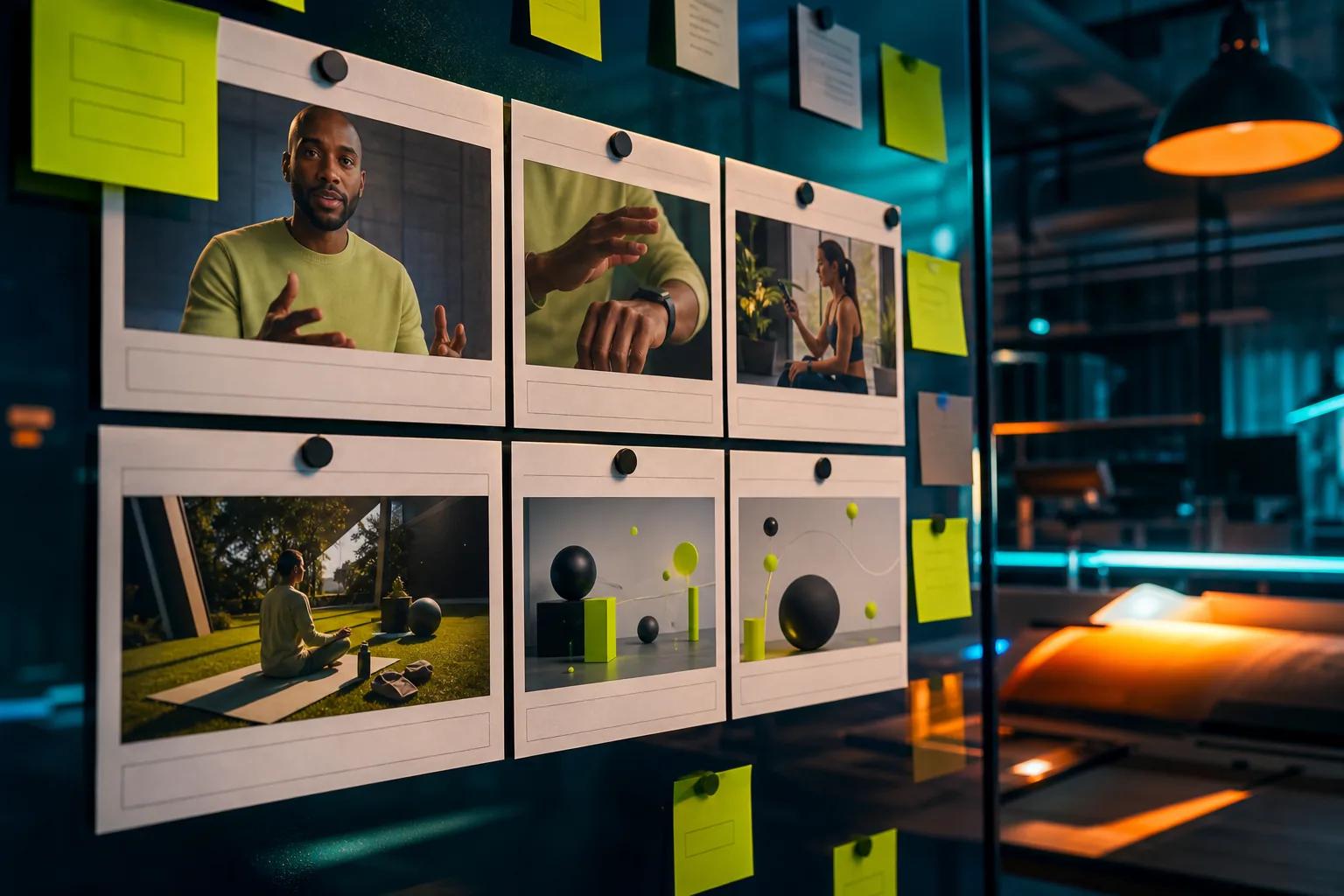
Turn the script into a storyboard. For each shot, note what appears, what changes, and what the viewer should understand. A rough sketch is enough. It can reveal that your script promises a feature without showing the action that proves it.
Try this brief for a hypothetical portable lamp: show a hand adjusting the control, then show the visible change in the room. Name only the product facts you can confirm. Don’t use generated lighting as proof of its actual output or imply a battery life you haven’t verified.
Make every frame readable on a phone
Put the product or the problem on screen early. Use large text and keep it short. Many people watch with sound off, so make the core point clear through the image and captions. Sound can add mood or dialogue, but it shouldn’t carry the only explanation.
Change the image when the story needs a new beat. A close-up, a hand in use, or a new caption can keep a static shot from dragging. Humor can help a brand feel distinct, but the joke should lead back to the product. Behind-the-scenes footage can add context when it shows a real part of making or using the item.
A low-cost shoot can start with a phone, a window, and a steady surface. Face the product toward soft daylight, clear distracting items from the frame, and record a few takes. For a glossy or reflective surface, shift the light or camera angle until glare no longer hides the detail.
Turning Product Photos and Ideas Into Video Creative
AI video tools can help turn a still reference or written idea into moving creative. They can speed up concept testing, but you still need to check the product’s shape, labels, claims, and use against approved source material.
Veo Studio is an independent, browser-based AI video creation tool powered by Google’s Veo 3.1 models. You can prompt a scene or attach reference images, then describe the camera move and action in plain words. Its supported features include synchronized sound and dialogue, character consistency, first- and last-frame control, scene extension, and output up to 4K.
For a product spot, begin with a clean image and a focused shot brief. For example: “Use the attached image as the product reference. Show a slow close camera move as warm light passes across the surface. Keep the product shape and visible details consistent. No extra claims or text.” Review each result before using it in an ad.
Reference images help guide the scene, while first- and last-frame control can shape a transition between two stills. Scene extension can add time to supported clips. These controls can help with a sequence, but they don’t replace a factual check. If the model changes a label or an important feature, don’t treat that frame as product evidence.
Veo Studio has a free plan with a couple of 720p videos per month and no card required. Paid plans start at $14 per month and include a commercial licence. Check the Veo Studio site for current access and plan details before you build a regular production workflow.
AI is one option. Canva can help assemble animated layouts; Blender can make 3D scenes; traditional editing software gives you a timeline for footage and graphics. Choose based on what needs to stay exact. A generated scene may set a mood, while a real product shot or current screen recording proves what the item does.
Keep a review step in the workflow. Check the product against the source photo. Confirm dialogue and captions. Look for changes that could mislead a buyer. If an ad uses a real person’s endorsement or a paid relationship, make sure the wording and disclosure are accurate.

How to Read Performance and Improve Product Video Ads
Pick the metric that matches the ad’s goal. If you want attention, examine views and watch time. If the goal is a product-page visit, check clicks. If the goal is a sale, track purchases and the cost of getting them. A high view count alone doesn’t show whether the ad helped the business.
Watch where people stop viewing. If many leave near the opening, test a new hook or show the product sooner. If they watch but don’t click, check whether the benefit is clear and the call to action matches the destination. If clicks arrive without sales, review the product page and offer as well as the video.
Video quartiles mark how far an ad played: through the first quarter, midpoint, third quarter, or completion. Those points can help you see where attention falls away. Read them alongside the campaign goal, since completion isn’t the same as a purchase.
Test one meaningful change at a time. Keep the audience and offer steady while you compare two hooks, or hold the opening and test two calls to action. If you change the audience, cut length, offer, and opening together, you won’t know which change affected the result.
Keep a simple record of each version: opening line, format, length, audience, destination, and outcome. Rotate new ideas when the same creative stops earning attention. Don’t assume a result from one placement will carry to another. TikTok, Reels, and Shorts each deserve a preview in their own feed.
For a product team, the useful handoff is a short note on what to keep and what to change. “The demo held viewers, but the call to action was missed” gives the next editor a job. “The ad did poorly” doesn’t.
Frequently Asked Questions About Product Video Ads
How long should a product video ad be?
Make it as long as the message needs, then test a shorter cut. A simple product or offer may need only a few beats, while a product with a learning curve may need more time to show the use. Start with a focused master, then remove any section that doesn’t support the main point.
What should a product video ad include?
Include a clear opening, one main product benefit, proof that supports it, and a direct next step. Show the product early enough for viewers to know what they’re watching. Use captions or on-screen text so the message still works without sound, and check that every claim matches approved product facts.
Can I make a video ad from product photos?
Yes. You can animate photos in an editor or use an AI video tool that accepts reference images. Start with clear views of the item, then describe the motion and scene you want. Review the result for changes to the product’s shape, label, or function before publishing it.
How do I test two video ads fairly?
Change one main creative element at a time, such as the opening hook or call to action. Keep the audience, offer, and destination the same during the comparison. Use the metric tied to the campaign goal, then save the result with a note about what changed.
Conclusion
Start with one buyer question and make a short ad that answers it with visible proof. Before production, write the hook, proof point, and call to action; then create a version for your chosen placement. For the full planning and production sequence, see how to make a video advertisement.


