
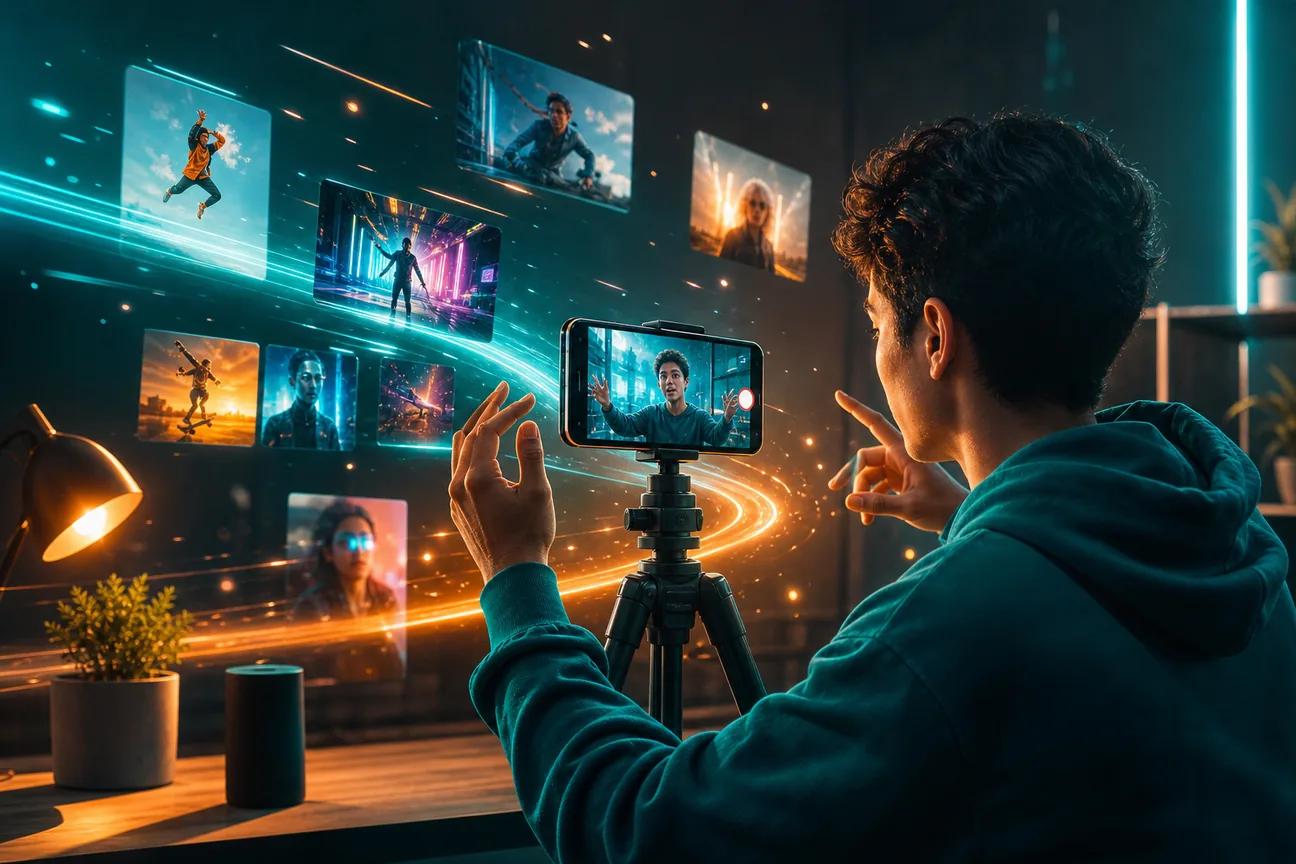
An AI TikTok video maker can turn a prompt, image, or script into a first cut, but the tools work in different ways. Here are five options, plus Veo Studio, for creating scenes, editing clips, or making presenter-led posts.
We analyzed 61 comments and questions from Reddit, YouTube and Quora about AI TikTok video makers and found that 23% mentioned potential for passive income.
1. Veo Studio
Veo Studio is an independent, browser-based AI video creation tool powered by Google’s Veo 3.1 models. It turns a text prompt or reference images into video with synchronized sound and dialogue. It suits creators who want to direct a scene, build a product spot from a photo, or keep a character recognizable across a clip.
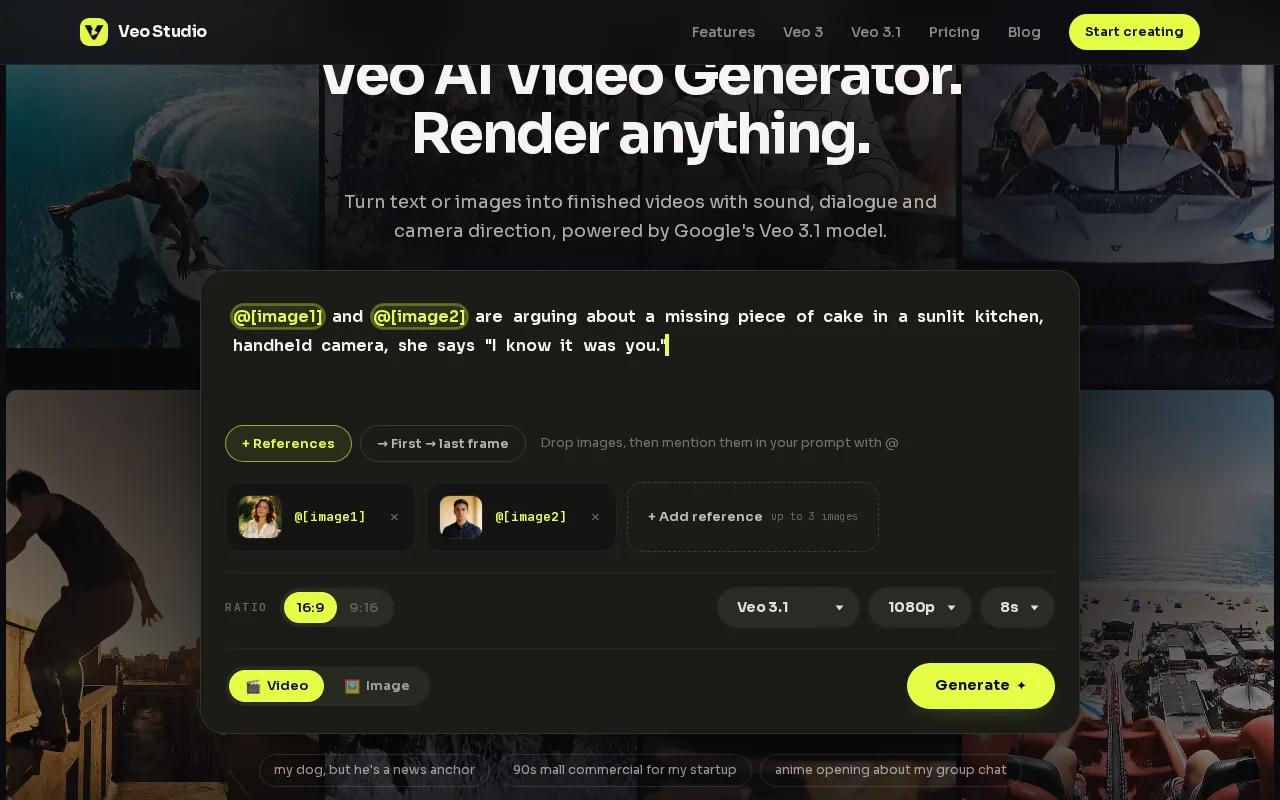
For a TikTok shot, set the frame to vertical 9:16, then describe one clear action and the camera move. Add up to three reference images to guide a character, product, or look. You can also provide a first and last frame, and the model generates the transition between them.
Sound is generated with the video. Put spoken words in quotation marks when you want a character to say a line with matching lip movement. Veo Studio supports 4, 6, or 8-second clips, and scene extension can continue a finished clip in seven-second steps. Output can reach 4K on supported settings.
The free plan includes a couple of 720p videos each month without a card. Paid plans start at $14 per month and include higher resolutions. For a closer look at how prompt and reference-image workflows fit TikTok, see these AI video generator options for TikTok.
One useful test: make a short opening shot first. Check the face, framing, spoken line, and sound before you build a longer sequence.
2. CapCut: for editing and finishing TikTok videos
CapCut is an editing-focused choice for creators who want to shape clips into a finished TikTok. It can also turn a script into a draft, but its useful role here is the edit after generation: captions, music, transitions, effects, and timing.
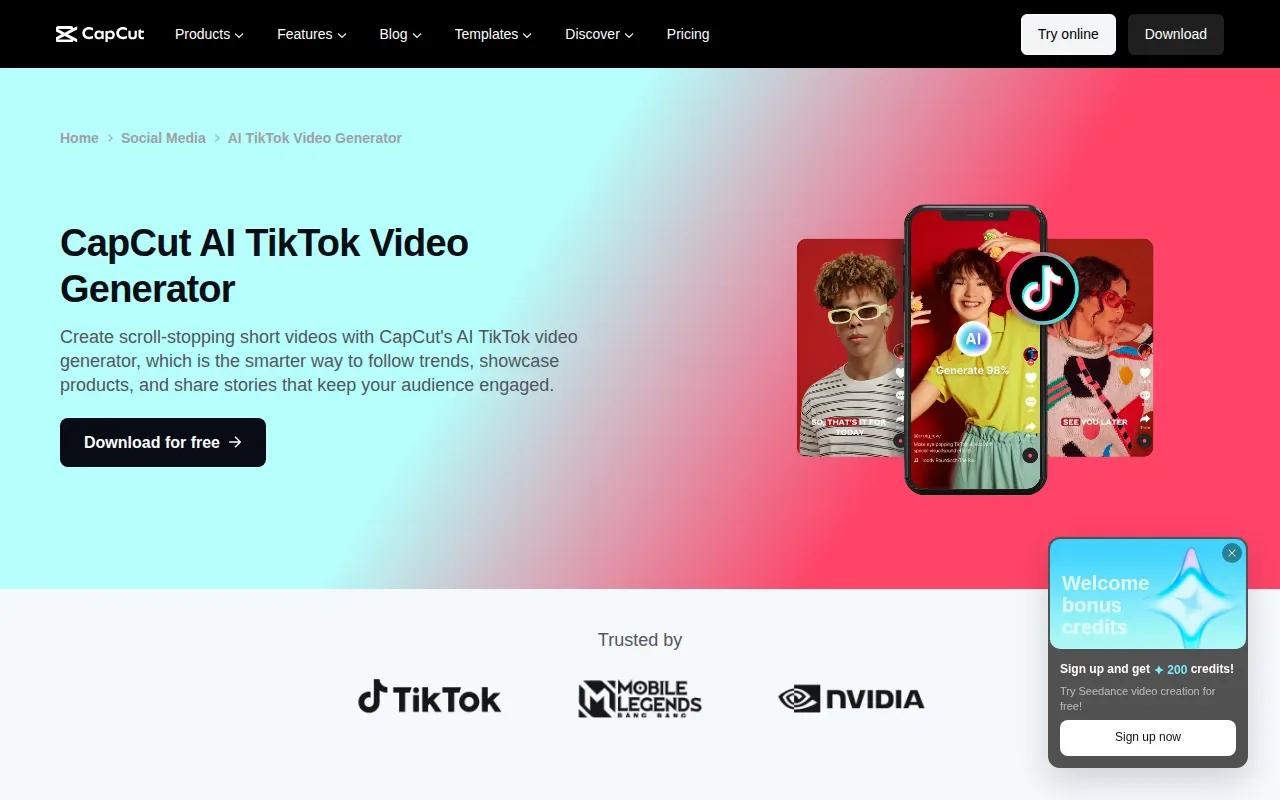
Its AI TikTok workflow lets you enter a script or ask the tool to draft one, then choose a ratio, voice style, duration, and video style. You can add caption templates and music, then continue editing with filters and transitions. Set 9:16 before you start so you’re building for a phone screen, not cropping a landscape video later.
CapCut can also turn a longer video into multiple short clips and sharing a finished edit directly to TikTok. That can help when you already have a podcast, product demo, or creator video to cut down. The one-tap publishing feature can shorten the handoff from export to post.
For branded work, review the whole export before posting. Template endings or certain assets may affect the final file, and watermark behavior can depend on the feature and app version.
Choose CapCut when you want an editor attached to your social-video workflow, especially if you expect to adjust the generated draft before sharing.
3. InVideo AI: for automating more of video production
InVideo AI is designed for creators who want more of the production process automated. It fits script-led TikToks, explainers, and ad drafts where you want a sequence assembled around a written idea rather than one standalone generated shot.
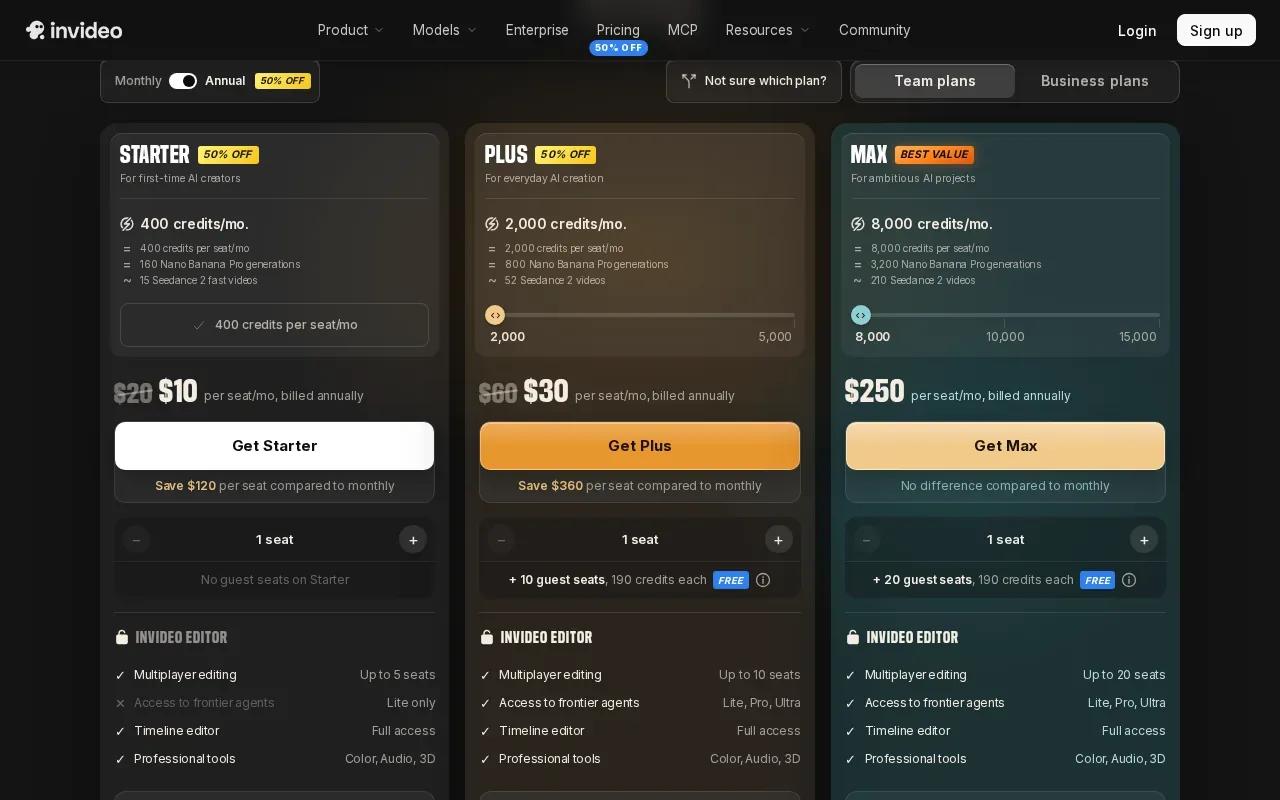
Start with a short script or prompt and treat the result as a draft. A product video might open with a problem, show the item in use, then end with one clear next step. Check that each scene supports the line being spoken. If the visuals don’t match the script, change the prompt or edit the scene instead of publishing the first version.
For recurring content, write several short scripts around one theme. Keep each post focused on a single point, then review the captions and voiceover for names or product claims. This makes it easier to produce a small batch without turning review into a last-minute scramble.
Script-led automation can also support faceless or UGC-style content when you’d rather not film yourself. But an AI draft still needs a human check. Confirm that the voice sounds right for the audience and that the visuals don’t imply something your product can’t do.
InVideo AI makes sense when the starting point is a script and the goal is to assemble more of the video around it. If your concept depends on a specific character or camera move, a prompt-to-scene workflow may give you a more direct starting point.
4. Kling AI: for generative clips beyond stock footage
Kling AI is a generative video option for short clips, which may be useful when ordinary stock footage is not enough.
A short clip can provide a visual hook or a quick scene change. Before generating, decide what the scene needs to communicate and keep the idea focused. A clear visual moment can be easier to fit into a TikTok than several unrelated ideas in one clip.
Consider whether generated footage suits the post’s purpose and style. Kling AI is an option when the scene itself is the main draw, such as a surreal setting, a stylized product moment, or a short visual sequence.
A generated clip may still need captions, a voiceover, or editing to work as a complete TikTok. Plan how the footage fits into the post, and review the result before publishing.
5. HeyGen: for presenter-led TikTok videos
HeyGen makes avatar-led videos with AI presenters, voiceovers, translation, and vertical social exports. It’s a fit when a person needs to deliver the message, but you don’t want to film a new talking-head clip for every post.
You can start with a script, a URL, or an idea, then choose an avatar or keep the video faceless with visuals and voiceover. The workflow can add captions, transitions, and music. HeyGen can also dub videos into more than 175 languages with lip-synced delivery, which can help when you need versions for different language audiences.
For a product explainer, keep the script tight. Lead with one benefit, show the relevant detail, then close with a clear action. Review the spoken words alongside the captions, since a polished presenter can’t fix a vague claim or a subtitle that changes its meaning.
HeyGen’s free tier has a maximum output resolution of 720p. Check the result at phone size and decide whether that output suits the channel and use case. For a presenter-first series, the repeated avatar can give the videos a consistent on-screen identity.
Pick HeyGen when a digital presenter is central to the format. If you need a scene built around a product image or a character acting without a presenter setup, consider a generation-first workflow instead.
6. Canva: for AI footage with branded graphics
Canva combines AI-assisted video creation with vertical templates, stock media, captions, music, and brand controls. It suits creators who want prompt-generated footage alongside editable graphics, rather than a raw clip on its own.
Start with a TikTok template or a text prompt, then add your own footage, stock visuals, or design elements. Canva has tools for adding voiceovers and dubbing, as well as direct sharing to TikTok from its editor. For a small business, that can keep a product clip, brand text, and call to action in one design.
Templates can also help with repeatable formats: a product feature, a lifestyle post, or a simple challenge explainer. Keep the main visual clear and place captions where the TikTok interface won’t cover them. If several people work on the same design, Canva supports sharing for edits and comments.
Canva’s AI video tools can help start the footage, while the design editor handles the finishing work. The distinction matters. If you need detailed control over a generated character’s movement, check whether the output itself gives you enough control before building a full branded post around it.
For a small team that values editable layouts and brand styling, Canva can be a sensible production workspace. The social media video maker comparison also explores how prompt, script, and editing workflows differ across short-form content.
AI TikTok Video Maker Comparison: Which Tool Fits Your Workflow?
Choose by the work you need the tool to do. A generative scene, an edit-ready script draft, and a presenter video need different controls.
| Tool | Good starting point | Useful for | Review before posting |
|---|---|---|---|
| Veo Studio | Prompt or reference images | Directed scenes with synced sound and dialogue | Character, frame, and audio continuity |
| CapCut | Clips, scripts, or longer footage | Editing, captions, effects, and TikTok sharing | Full export and caption placement |
| InVideo AI | Script or prompt | Automated, script-led video drafts | Scene fit and voiceover claims |
| Kling AI | Prompt or visual reference | Generative scenes and short motion-led clips | Continuity between generated shots |
| HeyGen | Script, URL, or idea | Presenter-led videos and language versions | Voice, captions, and output resolution |
| Canva | Prompt or TikTok template | Branded layouts with AI footage and design | Mobile framing and text legibility |
For any tool, keep the first test small. Make one draft, check the opening seconds, then judge how much editing remains before it’s ready to post.
Frequently Asked Questions
Can I make a TikTok video from a text prompt?
Yes, several tools in this shortlist can start with a prompt or script. Veo Studio turns a prompt into a generated scene with sound, while Canva and InVideo AI support prompt-led video workflows. Treat the first result as a draft. Review the visuals, spoken words, captions, and vertical framing before you publish.
Which tool is useful for faceless TikTok videos?
InVideo AI can automate more of a script-led video, while HeyGen can make presenter videos with an AI avatar or use visuals with voiceover. Canva can help assemble footage and branded graphics. Choose based on whether your post needs a generated scene, a narrator, or an editable design.
Can AI tools add subtitles and voiceovers?
Yes. The listed workflows include caption or subtitle features, and options such as HeyGen offer AI voiceovers and dubbing. Always check names, timing, and phrasing against the finished clip. A caption that’s slightly wrong can change the point of a product demo or story.
Can AI TikTok videos make money?
AI can help you make content, but it can’t promise earnings. Creators may pursue platform reward programs or brand deals, while businesses may use clips in ads. Eligibility and payment depend on the platform’s current rules and your results. Make original content, check usage rights, and review any disclosure requirements before posting.
Should I publish the first AI video a tool makes?
No. Watch the full export before sharing it. Check that the opening makes sense, the subject stays consistent, and the voice matches the captions. Then make sure important text is visible in a 9:16 phone view. A short review can catch issues that aren’t obvious in the editing preview.
Conclusion
If you want to direct a scene with synchronized sound, reference-image guidance, and frame control, start with Veo Studio. Create one short vertical test, review it on your phone, and then decide whether to extend the idea or add a separate edit.


